Two developers can quote very different amounts for a “website quote calculator” and still be describing different jobs. One proposal may cover a few fields and an on-screen estimate. Another may include saved enquiries, editable rates, notifications and a connection to your booking system. The label alone tells you very little about what you are buying.
A custom website quote calculator is priced around its rules, website integration and enquiry workflow. At Roc Web Studio, we provide a written project quote after reviewing those requirements; we do not currently publish a standalone calculator price. A website package price is not a calculator development price.
This guide explains what belongs in the budget, which features change the scope and how to compare proposals without confusing a simple estimator with a complete business system.
Start with the level of functionality you need
Before comparing prices, describe the smallest useful result for your business. These three scopes are a starting framework, not published Roc Web Studio packages.
1. An on-screen estimator
A visitor selects a service, enters a few details and sees a price or range. A lawn care business might use property size and visit frequency; a cleaning company might use size bands and extras.
The scope can include mobile styling, a readable breakdown and a route to contact you. It does not necessarily include storing a request or sending the estimate to an inbox. If you want those functions, name them in the brief. A total appearing on a screen proves the calculation works, not that a customer enquiry has reached anyone.
2. An estimator with real enquiry capture
Here, the customer can submit their project details and contact information. The system records what they requested and sends the agreed notification. The estimate should be saved with its inputs and rate version, so a later price change does not rewrite an earlier enquiry.
That adds work beyond the form: submission processing, storage, failure handling, spam controls and delivery testing. If an amount will be treated as an accepted price, authoritative calculation and validation also need to be included. Ask where enquiries live and how you retrieve one when an email goes missing.
3. A managed quote workflow
This might add an owner login, a rate-editing screen, quote revisions, staff access or integration with other software. Calendar availability, booking confirmation and payment can extend it further.
Each feature creates decisions. Can staff override a price? Does changing a rate affect existing quotes? Who can see customer details? Is a selected date merely requested or actually reserved? A proposal should answer the relevant questions rather than bundle everything under “advanced calculator.”
What changes the development cost?
The number of visible fields is only part of the picture. A short form with many exceptions can require more work than a longer form with straightforward arithmetic.
Pricing rules and exceptions
Area multiplied by a rate is relatively easy to describe. Add material-specific rates, minimum visit charges, recurring discounts, first-visit pricing and jobs that require assessment, and there are more paths to implement and check.
For a pressure washing business, the same area may cost differently depending on the surface. For cleaning, a recurring discount might apply only to the base service, leaving extras unchanged. Written examples help a developer estimate this work accurately. Unresolved rules create discovery work before anyone can responsibly promise a fixed development fee.
Your existing website
An installation on a site with suitable code access is a different job from working around a restricted editor or an unfamiliar collection of plugins. A separately hosted tool also introduces questions about domains, navigation and who operates it.
Have the developer inspect the current site before committing to the installation price. The implementation choices are covered in our guide to adding an instant quote calculator; this article focuses on what those choices mean for the budget.
Design and customer experience
A calculator needs clear labels, useful errors and a result people can understand on a phone. Matching an existing design, adding conditional questions or distinguishing the first visit from later visits takes design and implementation work.
Ask whether mobile layout, keyboard use and error states are included. They should be explicit acceptance criteria, rather than assumptions hidden behind a desktop screenshot.
Who can update prices
Having a developer edit a configuration file and giving your staff a protected rate editor are different deliverables. An editor needs access controls, input checks and a way to prevent accidental changes from damaging calculations.
If your prices rarely change, a documented update service may be enough. If several staff need frequent updates, paying for a management interface may make sense. Request the option that matches how you actually work.
Connections to other systems
Email delivery, CRM records, booking tools and payments should be named separately. Connecting an existing scheduling tool is not the same work as building scheduling logic that checks availability and prevents conflicting bookings.
Ask what happens when an external service rejects a request or becomes unavailable. A connection that works in one demonstration still needs an agreed response when delivery fails.
Separate one-time costs from ongoing costs
Ask for the proposal to distinguish these categories. Not every project requires every item.
- Discovery and rule definition: documenting services, rate logic, exceptions and example calculations.
- Development and installation: building the interface, calculation logic and agreed submission handling, then connecting them to your site.
- Testing and handover: checking representative jobs, installation, real submissions and the agreed editing process; providing files or access as specified.
- Hosting and infrastructure: operating any required server-side functions, database or separately hosted application.
- External services: calculator subscriptions, email services, booking products or other provider charges where used.
- Maintenance and changes: keeping the agreed system working, updating dependencies where relevant and making later changes to prices or features.
A custom calculator does not inherently require a monthly software subscription. It does need a clear operating arrangement. Ask who pays providers, what happens when usage grows and whether support is optional or required under the proposal.
Also distinguish correcting a defect from changing the scope. A calculation that fails an approved example is different from adding a new service with rules never included in the brief. Agree on the defect-correction period and the process for later work.
Adding to an existing site versus building together
When a calculator is developed alongside a new website, it may share design work, navigation and deployment setup. That can avoid repeating some tasks, but it does not make the calculation logic or enquiry workflow free.
With an existing website, reusable branding and pages may already be available. Compatibility checks, styling adjustments and access limitations may add work. Neither route is automatically cheaper: compare the actual tasks.
Ask for the website and calculator scope to be identifiable in the proposal. A standard contact form or an integration with an existing booking provider does not automatically include a custom pricing engine. You should know which deliverables the website fee covers and which belong to the calculator project.
How to compare two development quotes
Send both developers the same requirements and ask for a written response to the same points:
- Which services, pricing rules and exception cases are included?
- Is the result a fixed price, a non-binding range or a request for review?
- Are real enquiries stored, and which notifications are included?
- Is a price editor included, or are changes handled by the developer?
- Which integrations are named, and who pays their fees?
- What files, accounts and documentation will you receive?
- How many revision rounds and which acceptance checks are included?
- What support, defect correction and ongoing charges apply?
Compare omissions as carefully as features. “Email included” might mean a link that opens a mail app or an automated notification after a stored submission. Ask which. “Booking included” might mean embedding a provider's existing calendar, not building a reservation system.
Request example acceptance cases: a small job triggers the minimum, an unusual property routes to review, a submitted enquiry can be retrieved, and changing rates preserves earlier requests. Those examples make the promised result reviewable.
Keep the first version focused
Start with one service group, a clear rate structure and the enquiry handoff you need today. A cleaning business could launch a standard-clean estimate and route complex jobs to assessment, then add other services when their rules are settled.
Prepare the brief before commissioning extra screens. Supply sample jobs, included work, exceptions and the destination for enquiries. This reduces ambiguity; it does not remove the need for a developer to check the rules.
Treat booking, payment and a larger management dashboard as separate decisions. Agree whether the first build should accommodate them later. Keep essential validation, mobile usability and reliable submission handling in scope wherever the promised functionality requires them.
How Roc Web Studio scopes a calculator
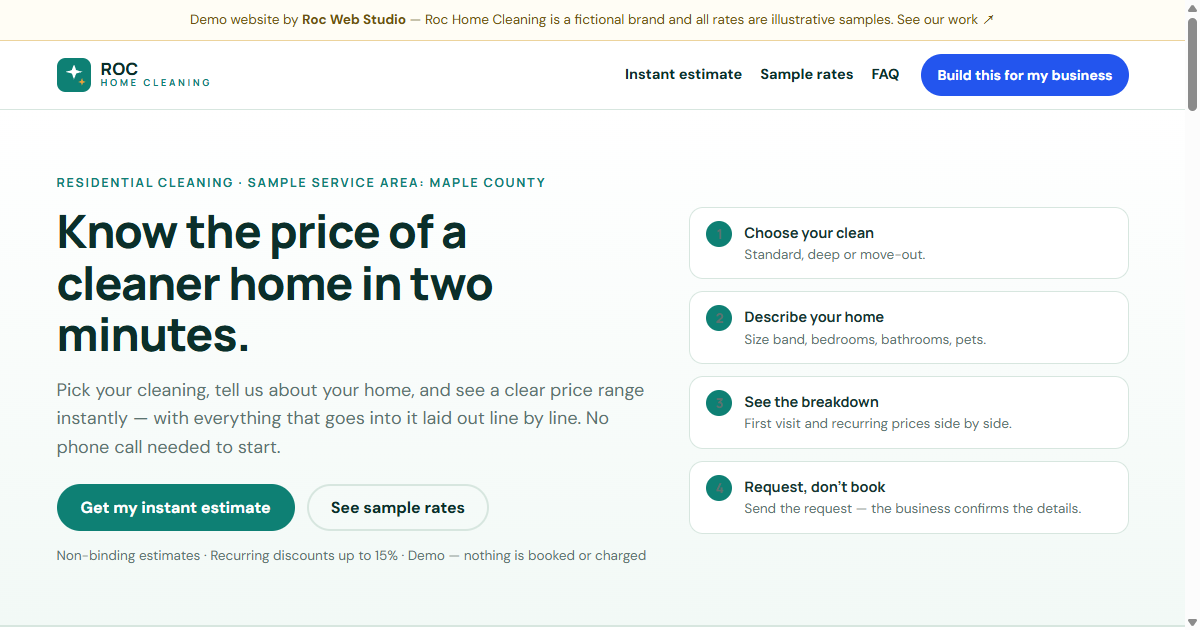
We begin with your website, services, rate rules and intended enquiry process. Our cleaning quote system walkthrough shows the reusable demo foundation, including estimates, review cases and a merchant workbench.
The demo uses fictional businesses and sample rates. Its requests are simulated and kept in the browser. It is not a ready-made commercial installation or a self-service embed product. Real submission delivery, server-side checks and any required integrations are scoped for your project.
We identify which parts can be reused and what needs adapting, then provide a written scope and quote. We currently have no published standalone calculator tariff. Your quote should distinguish development, installation, external fees and any agreed ongoing support, so you can decide with the full scope in view.
Frequently asked questions
Is a monthly fee compulsory?
Not inherently. A provider-hosted product may require a subscription; a custom build may have hosting, usage or support costs instead. Ask which charges are required, which are optional and who owns each account.
Will changing my prices cost extra?
That depends on the agreed editing method and maintenance scope. An owner-editable rate card, a developer update and adding new pricing logic are different kinds of work. Have the proposal distinguish them.
Do I have to rebuild my website?
Often, an existing compatible site can host or link to a calculator. The developer should check its limits before quoting. A full website rebuild is a separate scope decision.
Can the demo be used directly for real customers?
Our public demos show interactions and illustrative rules. A real installation needs your approved rates, appropriate submission processing and the production checks agreed for the project. Demo availability does not make those functions complete.
What do I need for an accurate project quote?
Send your website address, service list, rate rules, worked examples, exceptions and the required destination for enquiries. State who will edit prices and whether booking, payments or CRM connections are required now or only being considered.
Tell Roc Web Studio about your calculator requirements for a project-specific scope and quote. If a new website is also part of your plans, ask about our free homepage concept demo. Calculator development is scoped separately.